
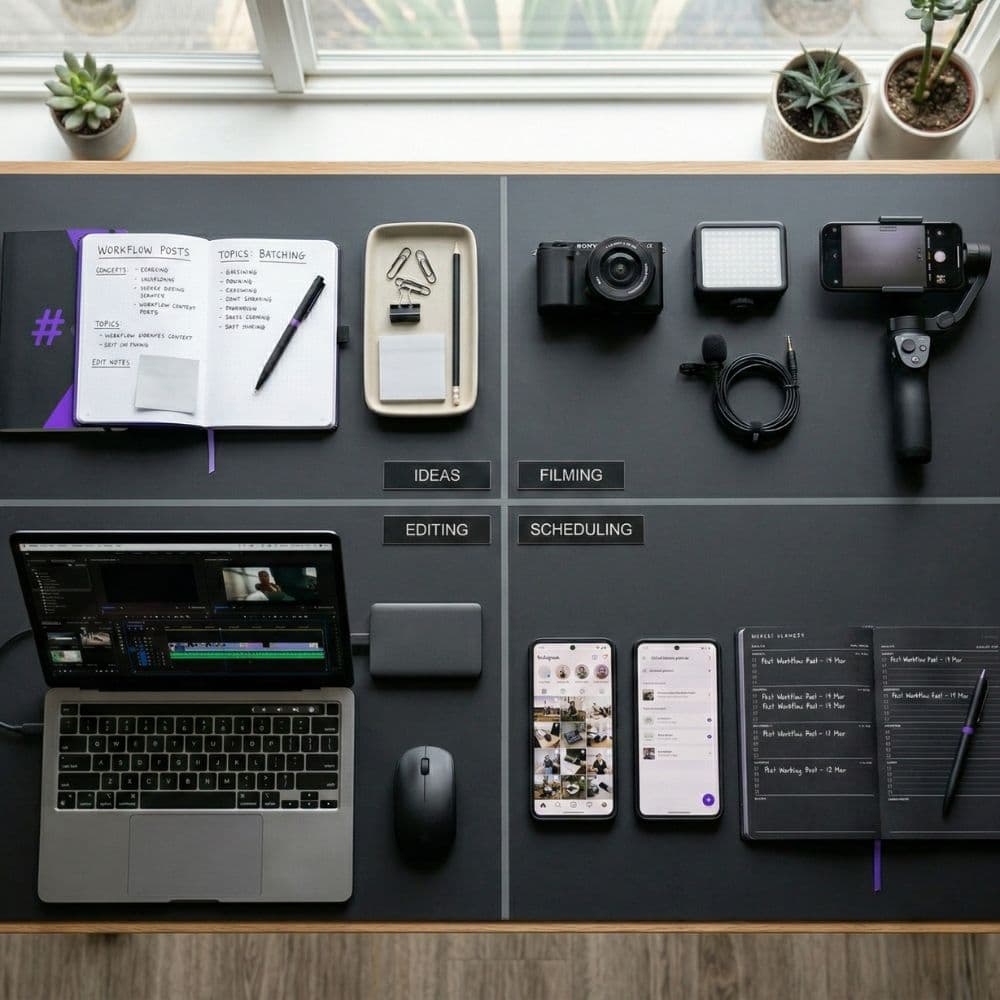
Why Content Batching Saves Time (And How to Actually Do It)
Creating content every single day is exhausting. You sit down, stare at a blank screen, scramble for an idea, create something mediocre because you're rushed, post it, and repeat the cycle tomorrow.
There's a better way. It's called content batching, and it's the difference between spending 30 minutes every day stressed about what to post versus spending 3 hours once a week and having everything ready to go.
If you're not batching your content yet, you're working way harder than you need to. Here's why it works and exactly how to do it.
Why Your Brain Loves Batching
Context switching kills productivity. Every time you jump from one type of task to another, your brain needs time to adjust. Writing a caption requires a different mental mode than editing a photo, which is different from filming a video.
When you create content on the fly, you're constantly switching contexts. Write, edit, post, respond to comments, write again. Your brain never gets into a flow state because it's always pivoting.
Batching groups similar tasks together. You write all your captions in one session. Edit all your photos in another. Film all your videos at once. This lets your brain stay in one mode longer, which means you work faster and produce better quality content.
Studies on productivity show that batching can reduce the time spent on tasks by 25-40% compared to doing them individually. That's not a small difference. That's the difference between spending 10 hours a week on content versus 6.
The Real Benefits Beyond Time Savings
Consistency becomes easier. When you have content ready to go, you actually post consistently. No more "I'm too busy today, I'll skip posting."
Quality improves. When you're not rushed, you make better creative decisions. You can review your work with fresh eyes. You catch typos. You refine ideas.
Strategic thinking happens. Batching forces you to plan ahead. You're not just reacting to what happened today. You're thinking about themes, messaging, and how your content works together.
Less mental energy. Decision fatigue is real. When you batch, you make all your content decisions once instead of seven times a week.
How to Batch Content (The Actual Process)
Step 1: Pick Your Batching Schedule
Most people batch weekly or biweekly. Weekly works well if you post daily. Biweekly works if you post 3-4 times per week.
Block out 2-4 hours in your calendar. Treat it like a meeting you can't miss. This is your content creation time.
Action item: Right now, open your calendar and block out your first batching session. Pick a day and time when you typically have good creative energy.
Step 2: Plan Your Content Themes
Before you create anything, decide what you're posting about. This is where content pillars come in.
Let's say your pillars are:
Social media tips
Behind-the-scenes
Client wins
Industry trends
For a week of 5 posts, you might plan:
Monday: Social media tip
Tuesday: Behind-the-scenes
Wednesday: Client win
Thursday: Social media tip
Friday: Industry trend
Action item: Write down 3-5 content pillars for your brand. Then map out what pillar each post will cover for the next two weeks.
Step 3: Batch the Ideation
Don't stop to create after each idea. Your goal is to generate a list of specific content ideas for all your planned posts.
Write down as many content ideas as you can without judging them. Aim for double what you need. If you need 10 posts, generate 20 ideas.
Action item: Open a notes app or grab paper. Come up with 20 ideas.
Step 4: Batch the Creation
Now you're actually making the content. Here's the key: group by format, not by post.
If you're creating videos: Set up your filming space once. Record all your videos back-to-back. Change your outfit between takes if you want them to look like different days, but don't dismantle your setup until you've filmed everything.
If you're creating graphics: Open your preferred design tool. Create all your graphics in one sitting. Use templates to speed this up. Duplicate and modify rather than starting from scratch each time.
If you're writing captions: Write all your captions in your preferred management tool (we use Trello). Don't switch to the social platform yet. Just write.
Action item: Pick one format (video, graphics, or captions). Set aside 90 minutes. Create everything for your next week of content in that format.
Step 5: Batch the Editing
If you filmed videos, edit them all in one session. If you created graphics, do all your final tweaks at once. If you wrote captions, go back through and refine them all together.
Editing in batches is faster because you develop a rhythm. Your third edit is quicker than your first because you've already figured out your process.
Step 6: Schedule Everything
Use a scheduling tool. Buffer, Later, Meta Business Suite, whatever works for you. Upload everything and schedule it out.
Action item: If you don't have a scheduling tool yet, set one up this week. Most have free plans that work fine for getting started.
The Batching Template You Can Steal 📋
Here's a simple 3-hour batching session structure:
Hour 1: Planning and ideation
Review last week's performance (10 min)
Plan this week's content themes (10 min)
Generate content ideas (20 min)
Select final ideas and organize (20 min)
Hour 2: Creation
Film all videos OR create all graphics OR write all captions (60 min)
Hour 3: Finalization
Edit content (30 min)
Write or finalize captions if needed (15 min)
Schedule everything (15 min)
Adjust timing based on your content type and volume, but this structure works.
Common Batching Mistakes (And How to Avoid Them)
Mistake 1: Batching too much at once
Don't try to create a month of content in one sitting if you've never batched before. Start with one week. Build the habit first.
Mistake 2: Not leaving room for real-time content
Batching doesn't mean you can't post spontaneously. Leave 1-2 slots per week for timely content, trending audio, or things that happen in the moment.
Mistake 3: Creating content that feels too planned
Batch your structure, not your personality. Behind-the-scenes content should still feel spontaneous even if you filmed it in advance. Don't over-script everything.
Mistake 4: Forgetting to batch engagement time
Creating content is half the job. Also batch your engagement time. Block 20 minutes daily to respond to comments and DMs. This keeps you connected without constantly checking your phone.
Batching Different Content Types
Instagram Reels: Film 5-7 in one session. Change shirts between takes. Record different locations in your space if possible. Batch edit with the same transitions and music style.
Carousel posts: Create all your slides using the same template. Duplicate and swap out text. Export all at once.
Stories: Record a bunch of quick clips throughout one day. Save them to your camera roll. Schedule them throughout the week using a tool like Later.
Captions: Write them all in a Google Doc. Include emojis, hashtags, CTAs. Copy-paste when scheduling.
Blog content: Write 2-3 articles in one deep work session. Edit them in a separate session later with fresh eyes.
Your First Batching Session Checklist
Ready to try this? Here's your action plan:
✅ Block 3 hours in your calendar this week
✅ Choose your content pillars
✅ List 20 content ideas
✅ Decide on your formats (video, carousel, static image, etc)
✅ Gather any props or materials you'll need
✅ Set up your filming/creation space
✅ Create all content in one session
✅ Edit and finalize
✅ Schedule using a tool
✅ Set a calendar reminder for your next batching session
The Mindset Shift
Content batching isn't just a time management hack. It's a shift from reactive to strategic. From scattered to organized. From stressed to in control.
The first batching session might feel weird. You're used to creating in the moment. That's normal. Push through it. By your third batching session, you'll wonder how you ever created content any other way.
And here's the best part: when you're not thinking about content every single day, you have mental space for other things. Strategy. Client work. Creative experiments. Life.
Batching doesn't make you less spontaneous. It makes you more intentional. And intentional content always outperforms random content.
Try one batching session this week. Just one. See how it feels. Track how much time you actually spend versus how much you usually spend creating content daily.
You'll be hooked. 🎯